Somebody asked me last week why their brand-new graphics card was sitting at 60% usage in every game they played. They'd spent more on the GPU than on everything else combined. And their CPU was quietly strangling it.
That's the trap with picking a processor for a custom gaming PC build: the CPU doesn't show up in your frame counter as a bottleneck. It just... holds everything back. You get stutter. You get frame drops at the worst moment. You get a card that never reaches the performance you paid for, and you blame the card.
So here's the short version of everything I'll unpack below: in 2026, the right gaming CPU is the one that keeps up with your GPU and your monitor, fits your motherboard socket, and doesn't eat the budget you needed for the parts that actually render pixels. Almost everything else is noise.
Key Takeaways
- Match the CPU to your resolution and refresh rate first. At 1440p and above, the GPU does most of the work; at 1080p high-refresh, the CPU matters enormously.
- Confirm the socket and chipset before anything else. A great CPU on the wrong socket is a wall decoration.
- For pure gaming, cache (especially L3) often beats a higher core count. Six fast cores routinely outperform eight slow ones.
- Budget roughly 20-30% of total build cost on the CPU for a balanced gaming rig—more only if you play CPU-heavy titles or stream.
- Buy into a platform with a future: AM5 still has an upgrade path; older sockets are dead ends.
- If you're building today, prioritize a current-gen gaming chip over a cheap last-gen bargain—unless the price gap is enormous.
How to choose the right CPU for your custom gaming PC build
Let me kill a myth straight away. There is no single "best processor for gaming." There's a best processor for your build, your monitor, and your habits—and those three things change the answer completely.
I've built and rebuilt enough machines to know that people obsess over the wrong spec. They compare core counts like they're comparing horsepower figures. Then they pair a 16-core workstation chip with a mid-range GPU and wonder why nothing improved.
The framework that actually works is boring and reliable. Ask yourself three questions, in this order:
- What resolution and refresh rate am I targeting?
- What GPU is going in this machine?
- What's my hard budget ceiling for the CPU alone?
Answer those honestly and the shortlist collapses fast. A 1080p 240Hz esports build and a 4K 60Hz cinematic build need completely different processors, even though both are "gaming PCs."
Why your resolution changes which CPU you need
Here's the mechanic nobody explains properly. Your GPU renders frames; your CPU feeds it instructions and handles everything the GPU doesn't—AI, physics, draw calls, game logic. At low resolution, the GPU chews through frames so fast that it's waiting on the CPU. The CPU becomes the ceiling.
Crank the resolution to 1440p or 4K and each frame takes the GPU far longer to draw. Now the CPU has slack. The GPU becomes the ceiling, and a modest processor can keep up fine.
I watched this play out on my own setup. Months ago I swapped in a faster GPU and tested at 1080p—barely any gain in my main competitive shooter. Same GPU, moved to 1440p, and I gained a solid 25% on average frames. The bottleneck had shifted, and it shifted because of resolution, not because of any spec on the box.
So if you're a 1080p high-refresh player, spend on the CPU. If you're gaming at 4K, spend on the GPU and buy a competent processor that won't embarrass you.
Verifying CPU and motherboard compatibility before you buy
This is the step people skip, and it's the one that costs the most. You can't drop any CPU into any board. The socket has to match, the chipset has to support it, and sometimes the BIOS has to be new enough—which means a firmware update on a board that may not boot with the chip you bought.
Here's the procedure I follow every single time:
- Identify the socket. Current mainstream platforms use specific sockets (AMD's AM5, Intel's LGA1851 on current boards). The CPU and motherboard must share one.
- Check the chipset. Within a socket, chipsets differ. Some support overclocking, some don't. Some have enough PCIe lanes for your GPU and drives; budget boards sometimes don't.
- Confirm BIOS support. A board may physically fit a CPU but need a firmware update to recognize it. If you don't have an older compatible chip to boot with first, this is a trap.
- Verify memory support. The CPU determines whether you're on DDR5 (current) or DDR4 (legacy). You cannot mix them. This single line item decides half your parts list.
I'll admit: I once ordered a motherboard and CPU on the same day, convinced they matched, and spent an evening troubleshooting a system that wouldn't POST. The socket was right. The BIOS wasn't updated for that chip generation. Cost me a reflash via an older CPU I had lying around and a lot of pride.
Should you build a DDR4 CPU system in 2026?
If you already own a DDR4 platform and you're upgrading within it, that's a legitimate move—the memory is paid for, and a strong DDR4 chip can still game well. But starting a new build on DDR4 today means buying into a socket that won't take future processors. You save money now and pay for it at your next upgrade.
My rule: reuse DDR4 only if the platform you're on supports a meaningful CPU jump. Otherwise, start fresh on DDR5.
Cores, cache, and clock speed: what actually matters for gaming
Core count is the most oversold number in PC building. Games rarely use more than a handful of threads effectively. What they love is fast cores and lots of cache.
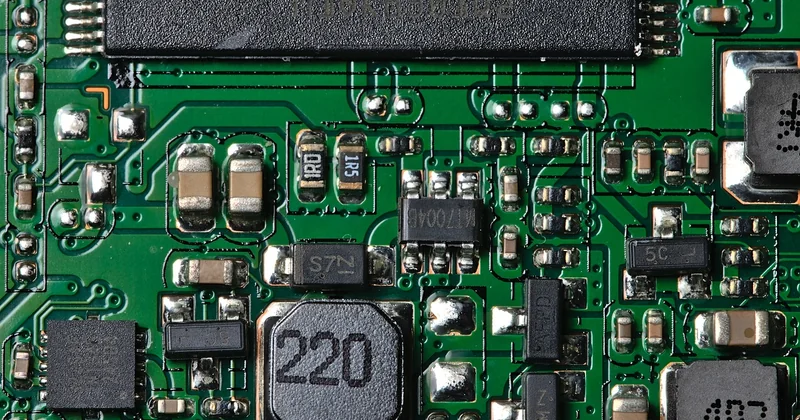
Cache—the fast memory sitting right on the chip—matters because games constantly reuse data. More L3 cache means the CPU spends less time waiting on slow system memory. This is why certain gaming-focused processors with big caches can outpace chips with higher clocks and more cores in the same game.
| Segment | Typical core count | Best for | Budget guidance (CPU only) |
|---|---|---|---|
| Entry / budget | 6 cores | 1080p 60-144Hz, mainstream titles | Lower tier of your build budget |
| Mid-range | 6-8 cores | 1440p high-refresh, light streaming | ~20-25% of total build |
| Enthusiast | 8 cores, large cache | 1080p/1440p competitive, heavy CPU titles | ~25-30% of total build |
| High-end / hybrid | 12-16 cores | Gaming plus heavy productivity or streaming | 30%+ if work pays the bills |
Notice I didn't name a single model. That's deliberate. Model names change every year and age badly; the logic doesn't. Six fast cores with a big cache will beat eight slower cores in most games. Buy the logic, not the badge.
Do you need integrated graphics on a gaming CPU?
Sometimes, yes—and it's worth knowing why. Integrated graphics let you boot and troubleshoot a build before your discrete GPU arrives, and they're handy if your GPU ever fails. They won't game seriously, but as a fallback they're genuinely useful. Many gaming-focused chips ship with them; some don't. Check before you assume.
Finding the best budget CPU for gaming without wasting money
Real talk: the cheapest gaming CPU that won't bottleneck a mid-range GPU is almost always the smarter buy than the flagship. The performance curve in gaming is steep at the bottom and flattens hard near the top. You pay a lot for the last few percent.
Where I've seen people waste money:
- Buying flagship cores they'll never use. Sixteen cores for games that use six is a donation.
- Saving $50 on a CPU and losing $150 in future upgrade cost. Dead sockets cost more than they save.
- Mismatching tiers. A budget CPU with a high-end GPU starves the card. A high-end CPU with a budget GPU is money set on fire.
The balanced build I keep coming back to: a strong mid-range or upper-mid CPU, a current-gen GPU one tier below flagship, and 32GB of RAM. That combination games at 1440p beautifully and leaves headroom for years.
How much should the CPU cost relative to the whole build?
For a pure gaming machine, keep the CPU around 20-30% of total cost. If you do heavy video work or stream at high quality, push toward 30% or beyond—those workloads genuinely use extra cores and threads.
Picking a processor for a gaming laptop
Laptop CPUs follow different rules. Power limits and cooling dictate real-world performance far more than the model number. A chip that looks impressive on paper throttles the moment it hits a thermal ceiling in a thin chassis.
When I'm evaluating a gaming laptop, I ignore the headline clocks and look for reviews that measure sustained performance under load. A slightly humbler CPU in a well-cooled body consistently beats a flagship chip squeezed into something that sounds like a jet and runs like a space heater. The same logic as desktops—just with heat as the deciding factor.
What I would actually do in 2026
Building a new gaming PC this year, I'd start from the monitor. That single decision tells me my target resolution and refresh rate, which tells me whether I'm CPU-limited or GPU-limited, which tells me where the money goes.
Then I'd pick a platform with a live upgrade path—current socket, DDR5, a chipset that supports overclocking if I care. I'd buy a CPU with fast cores and generous cache over one with a bloated core count. And I'd leave a little budget on the table for the upgrade I'll inevitably want in two years, because the socket still has room.
The processor you choose today isn't really about today's games. It's about whether the motherboard you bought can still accept a meaningful upgrade when your GPU starts feeling old. Buy the platform, not just the chip.
And next time you're staring at a GPU idling at 60% usage, you'll know exactly where to look first.