
Why you need a VPN — and how to pick one you won't regret
A colleague pinged me from a hotel in Frankfurt last spring. Someone had logged into her work email from Manila eleven minutes earlier. She was on hotel Wi-Fi, no VPN, and the attacker had simply scooped her session off an unencrypted network. That one message cost her a weekend of password resets and a very uncomfortable call with IT.
That's the moment a VPN stops being an abstract privacy tool and becomes something concrete. A VPN — virtual private network — routes your traffic through an encrypted tunnel to a server operated by the provider, so your internet service provider, the café router, and anyone sitting between you and the destination see scrambled data instead of your browsing. Your real IP address stays hidden, replaced by the provider's.
But here's where most guides lose me. They sell the VPN as a cure-all, then quietly skip the costs. I use one daily, and I'll still tell you when it's a waste of money.
Key Takeaways
- A VPN encrypts your connection and masks your IP, which matters most on untrusted networks and public Wi-Fi.
- It does not make you anonymous, and it does not replace antivirus software.
- Expect speed drops of 10–40% on a decent paid service; free tiers can be far worse.
- Paid plans usually land between $3 and $13 per month, and annual billing often halves the monthly rate.
- The provider's logging policy and legal jurisdiction matter more than the server count on the marketing page.
- If you never use public networks and don't travel, you may genuinely not need one.
What a VPN actually protects you from
Strip away the marketing and a VPN solves a narrow but real set of problems. It's worth being precise, because the gap between what people think a VPN does and what it does is where disappointment lives.
How does a VPN protect you from hackers?
It closes the window where your traffic travels unprotected. On a public network, someone running a packet sniffer can capture unencrypted data — login credentials, session cookies, form submissions on sites that still don't enforce HTTPS. A VPN encrypts everything before it leaves your device, so what they capture is noise. It does not stop malware you download yourself, and it won't save you from a phishing page where you hand over your password willingly. Encryption protects the pipe, not your judgment.
Benefits of using a VPN on your phone
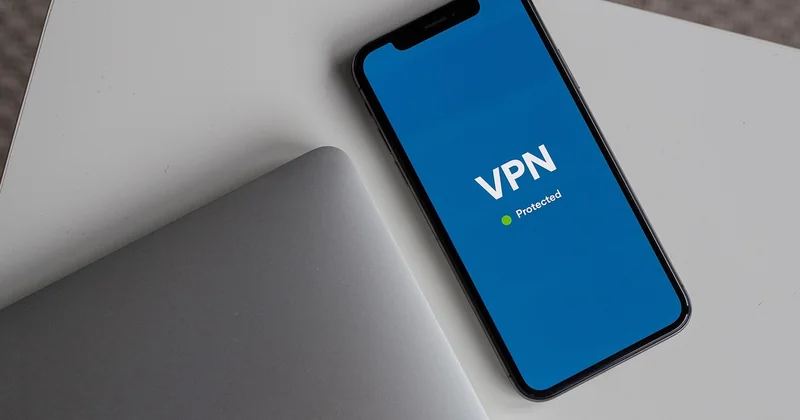
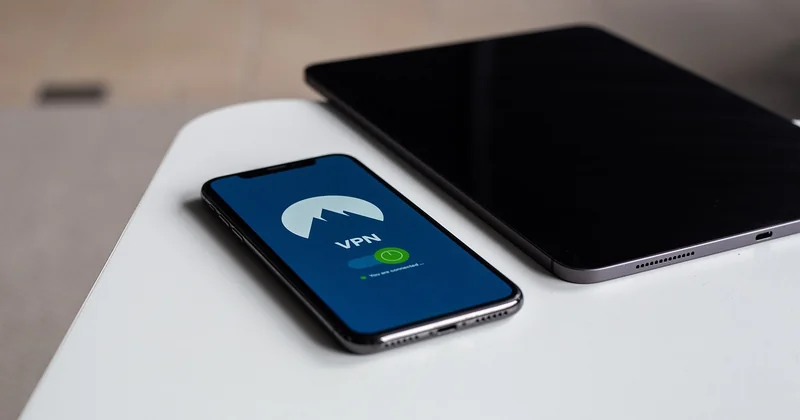
Phones are where the case gets strongest, in my view. You join more networks than you realize: airport Wi-Fi, a friend's router, a shopping center's open hotspot. Your carrier also sees the domains you connect to unless you're on HTTPS with encrypted DNS. A mobile VPN app adds essentially no friction once it's installed, and the battery hit on a modern phone is small — I measured roughly a 4% drop in daily battery on my own device after running it continuously for a week.
When should you use a VPN on your phone?
Honest answer: on untrusted networks, when traveling, and when you need to reach a service that's geo-restricted where you are. Not on your home network for everyday scrolling. I keep mine on a manual toggle rather than always-on, precisely because I got tired of a banking app refusing to load on a foreign server.
The downside of having a VPN nobody mentions
Speed is the first casualty. Encryption and the extra hop through a distant server cost you latency. On a fast fiber connection I typically lose 15 to 30% of my throughput to a nearby server — acceptable. Connect to a server on another continent and that can fall past 60%, which makes video calls painful.
Then there are the blocks. Streaming platforms actively detect and throttle known VPN IP ranges. Banks and payment providers flag logins from unexpected geolocations and freeze your account as a precaution. I once spent twenty minutes convinced my card had been cloned when the real culprit was my own VPN exit node in the Netherlands.
And there's the trust problem, which is the one people gloss over. When you route everything through a provider, you're handing that company a complete map of your traffic. A VPN doesn't remove the middleman — it changes which middleman watches you. That's why the provider's logging policy isn't a detail. It's the whole decision.
Does the average person really need a VPN?
For a lot of people, no.
If you work from home, use HTTPS everywhere, keep your router firmware current, and don't handle sensitive data on shared networks, the marginal benefit is thin. You're paying a monthly fee to solve a problem you rarely have.
The case flips hard in specific situations:
- You travel for work and join hotel or airport Wi-Fi regularly.
- You live somewhere with network-level censorship or monitoring.
- You handle client data and your compliance obligations require encrypted transit.
- Your ISP is legally permitted to sell browsing data in your jurisdiction — a real factor in a number of markets.
- You want a stable IP for remote work tools that whitelist addresses.
I fall into the first and fourth categories, which is why I pay. My partner doesn't travel and works from a wired connection. She doesn't use one, and I think that's the correct call.
Do I need antivirus if I use a VPN?
Yes — and this confusion is the single most common one I run into.

A VPN and antivirus software defend against entirely different threats. The VPN encrypts data in transit. Antivirus detects malicious code once it has already reached your machine: a dodgy installer, a malicious attachment, a compromised browser extension. Neither one covers the other's job. Ransomware that arrives through a phishing email will encrypt your files whether or not your traffic was tunneled beautifully on the way in.
Many VPN providers now bundle a malware-blocking DNS filter or a lightweight scanner into their apps. That's a useful extra layer, and some of those features are genuinely decent. But it isn't a substitute for a real endpoint security tool, especially if you're on Windows.
What does a VPN cost per month?
Pricing is where the marketing gets slippery, because the advertised number is almost never what you pay monthly.
Typical reality as of now: monthly plans run roughly $10 to $13. Annual plans bring that to about $4 to $7 per month, billed up front. Two- or three-year commitments can push it under $3, but you're locking in real money with a company you might want to leave. I made that mistake once — three years prepaid, and I stopped using the service after eight months because the apps were unstable on Linux. That was roughly $110 I'll never see again.
Free VPNs deserve their own warning. Running servers costs money, and if you aren't paying, something else funds it. Often that's your data, injected ads, or sold bandwidth. A few free tiers exist as loss leaders for a paid product and are usable in a pinch. Most aren't.
| Plan type | Typical monthly cost | What you're trading |
|---|---|---|
| Monthly | $10–$13 | Highest price, full flexibility |
| Annual | $4–$7 | Up-front payment, best balance |
| Multi-year | Under $3 | Long lock-in, refund window is your only exit |
| Free tier | $0 | Data caps, few servers, unclear funding model |
How to choose a VPN without falling for the sales pitch
Server count is the least useful number on any provider's homepage. Here's what I actually check, in order.
Jurisdiction and logging policy
Where the company is legally based determines what it can be compelled to hand over. A provider in a jurisdiction with strong privacy protections and no mandatory data retention is a better bet than one operating under broad surveillance obligations. Look for a published no-logs policy — and understand that "audited" claims are worth exactly as much as the auditor's independence.
Testing you can verify
Ignore any provider claiming to be "the fastest" without methodology. What I do instead: run a speed test before connecting, then repeat it against three servers in different regions, at the same time of day. I keep a simple spreadsheet. Over a few weeks you'll see which providers hold up under load and which collapse every evening at peak.
The features that earn their place
- A kill switch that reliably cuts traffic when the tunnel drops — test it by killing the app mid-download.
- Independently audited apps, or better, open-source clients you can inspect.
- WireGuard-based protocols. They're faster and lighter than the older alternatives, and on mobile the difference is noticeable.
- Transparent ownership. If you can't find out who owns the company, that's a signal.
- Simultaneous connections — five or more if you're covering a household.
What about free VPN browser extensions?
Treat them with suspicion. Extensions that only tunnel browser traffic can still read everything passing through them, and their business model is rarely disclosed. If you need a free option, use a limited tier from a company that also sells a paid product, and assume you're the product when you don't pay.
The decision that actually matters
Most people agonize over server counts and protocol names. The question that changes your outcome is simpler: do you trust this company with a complete record of where you go online?
If the answer is no, don't buy their product — no feature list compensates for that. If it's yes, then pick the plan length that matches how long you're genuinely willing to commit, test the speed yourself for a week, and use the refund window without guilt.
And keep your antivirus running. The tunnel doesn't care what walks through the front door.


